
Choose a situation
Start from a familiar beginner context.
Optional AI practice
Practise a short French conversation with Coach Léo in Parle for iPhone and iPad. Type or use transcribed voice input, receive a reply, and try a follow-up at your A0–A2 level.
Start with up to 3 successful replies per day for free.
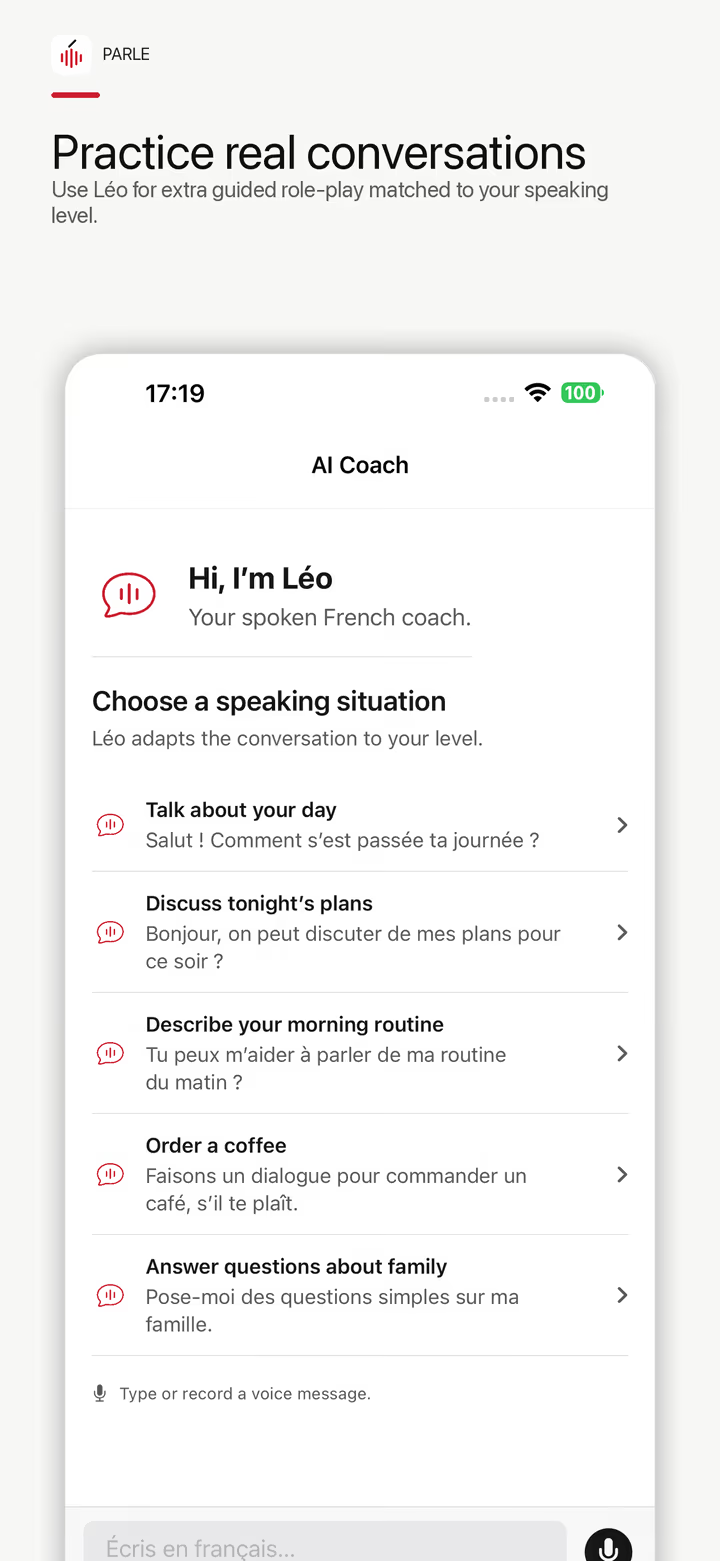
Start from a familiar beginner context.
Voice input is transcribed into text for the exchange.
Receive a short French response suited to the practice level.
Reply again or return to reviewed mission content.
Use Léo for greetings, ordering, directions, travel, appointments, and other predictable situations. Free users receive up to 3 successful replies per day; Premium provides a disclosed service cap rather than a promise of unlimited infrastructure.
Start with the first-contact speaking unit. Listen to Bonjour, then use this suggested prompt in Léo:
“I am a beginner learning French. Help me practise introducing myself. Ask one short question at a time and keep the exchange simple.”
Answer with your name, then try a second introduction with one detail changed. This is a practice prompt, not a transcript or a guarantee of the AI's response.
If you need a sound model before replying, open the French sound chart with audio. For a structured daily plan, use the five-minute speaking routine.
AI replies may be inaccurate, unnatural, or inconsistent. Reviewed course phrases and model audio remain separate from generated practice.
AI Coach is optional. The app presents a disclosure before sending typed messages or text transcribed from voice input to the AI service. The conversation recording itself is not included in that AI request.
Parle includes up to 3 successful AI Coach replies per day for free users. It is available inside the iPhone and iPad app. Premium access has a disclosed service cap.
After you accept the in-app disclosure, your typed messages or text transcribed from voice input are sent to a third-party AI model provider to generate replies. The audio recording itself is not sent in that AI request.
Optional guided French conversation practice inside Parle. Type or use voice input, receive a short French reply, and continue a beginner-level exchange.
No. Voice input is transcribed for conversation. Recognition errors can occur and are not a measurement of accent quality.
Yes. Generated replies and corrections can be wrong. Treat Léo as extra practice, not an authoritative source.
See all Parle features and what is free · Read the privacy policy · Lire ce guide en français
The useful sequence is reviewed model audio first, your own recorded response second, and optional generated conversation third.